Microsoft 365 Copilot for small business is either a genuine productivity gain or an expensive experiment, and the difference is decided before you buy a single licence. Copilot is not a chatbot in a separate tab. It is an AI layer woven through Word, Excel, Outlook, Teams, and PowerPoint, with access to whatever your staff can access. That is the source of its value and of its risk.
We run AI in our own operations daily and deploy Copilot for clients, so this guide takes the practical view: what Copilot does, what it costs an Australian business, the governance guardrails most rollout guides skip, and a step-by-step rollout that gets value in weeks.
What does Microsoft 365 Copilot actually do?
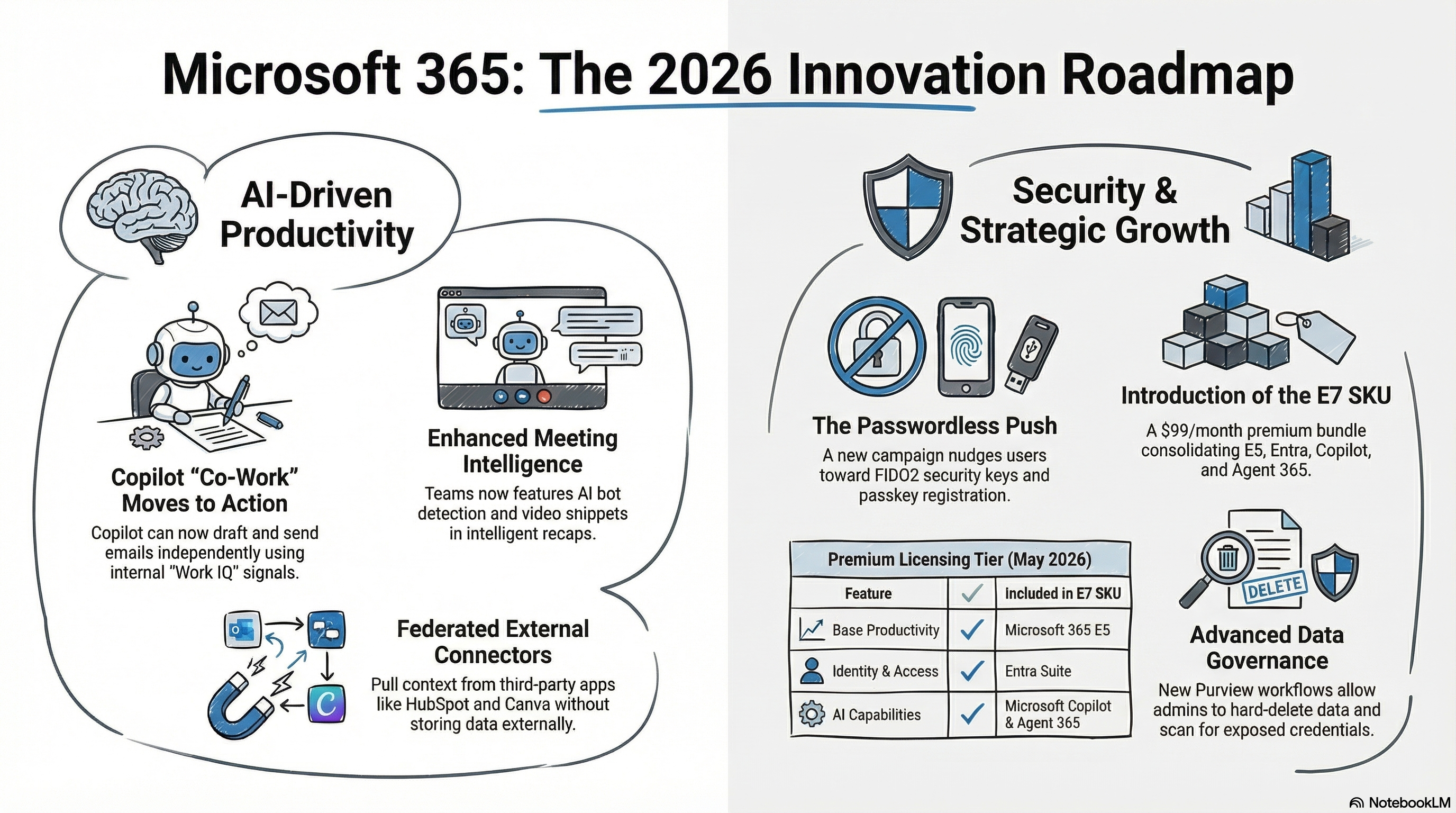
Copilot uses your Microsoft 365 data (emails, documents, meetings, chats, calendar) as context to assist inside the applications your team already uses:
- Outlook: drafting replies in your tone, summarising long threads, and pulling together what you owe people.
- Teams: meeting summaries and action items, catching you up on meetings you missed, answering "what was decided in that call?"
- Word: drafting from a brief, summarising long reports, rewriting for tone or length.
- Excel: analysing data in plain language, building formulas from a description, charting raw data.
- PowerPoint: building slides from a document or brief.
The capability underneath all of this is the Microsoft Graph: Copilot can answer questions like “what did we agree in last week’s project meeting?” because it can see the meeting, the follow-up emails, and the document that came out of them. Hold that thought for the security section.
What does Copilot cost an Australian business?
Copilot requires Microsoft 365 Business Standard, Business Premium, or an enterprise E3/E5 plan as the base. Business Basic will not work because it lacks the desktop applications Copilot integrates with.
The Copilot add-on is licensed per user per month, from around $31 AUD per user ex GST on an annual commitment (as at July 2026). You can license specific users rather than the whole organisation, which is exactly what you should do for the pilot phase. For a 10-person pilot, that is roughly $3,700 a year: cheap if it saves each person an hour a week, wasted if nobody is trained and the permissions were never checked.
Securing AI in Microsoft 365: the guardrails most guides skip
1. Fix permissions before you switch anything on
Copilot does not bypass access controls. It works entirely within them. The problem is that in most Microsoft 365 tenants, the permissions are messier than anyone realises: files shared with “everyone in the organisation” years ago, overly open SharePoint sites, legacy shared mailboxes. Before Copilot, that mess was invisible because nobody went looking. Copilot goes looking. If a staff member technically has access to the salary review spreadsheet, Copilot will happily use it to answer their question.
A permissions audit before deployment is not optional. It is the single most important step in the entire rollout.
2. Write an AI usage policy before staff write their own
Your staff are already using AI, with or without a policy. The realistic goal is not to prevent AI use but to channel it into tools that sit inside your security boundary. Copilot does not train on your data or share it outside your tenant, which makes it categorically safer than staff pasting client information into free consumer tools. A short, plain-English AI usage policy should say what tools are approved, what data can go into them, and who to ask. One page is enough. We have seen the alternative in the field: browser AI assistants quietly reading business data in open tabs because nobody had decided the rules yet.
3. Map the process before automating it
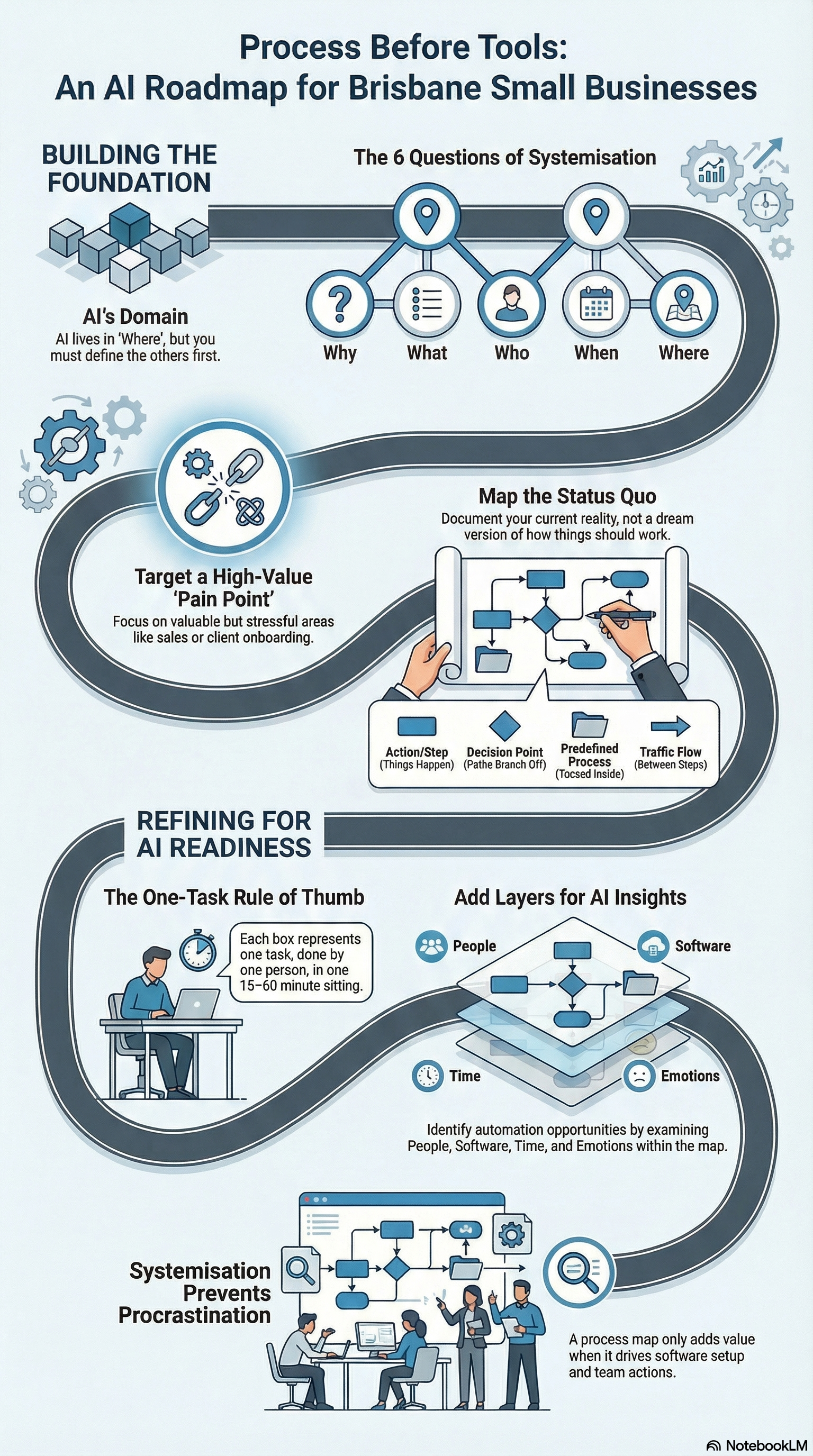
Copilot amplifies what is already there. If a process is undocumented and inconsistent, Copilot helps people do inconsistent work faster. We have written separately on why you should map your process before touching AI. The same rule applies here: pick the two or three workflows where Copilot will earn its licence (usually email management, meeting follow-up, and report drafting) and design how it fits before rolling it out.
How should a small business roll out Copilot?
The Copilot rollout we run for clients follows six steps:
- Confirm base licensing. Verify your M365 plan supports Copilot and upgrade if required.
- Run the permissions audit. Review SharePoint, OneDrive, and mailbox sharing. Tighten before anyone gets a licence.
- Publish the AI usage policy. Approved tools, approved data, one page.
- License a pilot group. Four to six users across different roles who will engage and give honest feedback. This controls cost and produces real evidence.
- Train on specific use cases. Copilot is powerful but not intuitive. One to two hours of role-specific training beats months of self-directed poking around.
- Measure at four weeks, then decide. Time saved, adoption rate, and what the pilot group would say if you took it away. Expand on evidence, not enthusiasm.
What is Copilot actually good at, and what is it not?
The fastest way to lose staff trust in an AI tool is to oversell it. Set expectations honestly and adoption follows.
Where it earns its licence
- Catching up. Summarising the email thread you were cc'd into 40 messages deep, or the meeting you missed. This alone can justify the licence for a manager.
- First drafts. The proposal skeleton, the meeting follow-up email, the position description. Copilot gets you from blank page to reviewable draft in minutes. A human still finishes it.
- Finding and connecting. Questions like "what did the client say about the deadline?" answered from mail, chat, and files together.
Where it disappoints
- Precision work. Complex Excel models, exact figures, anything where a plausible-looking wrong answer is expensive. Verify anything numeric.
- Work outside your data. Copilot reasons over what is in your tenant. If the knowledge lives in someone's head or a system outside Microsoft 365, Copilot cannot see it.
- Replacing judgement. It drafts, summarises, and retrieves. It does not know your client relationships or your risk appetite. The businesses that get value treat it as a fast junior assistant, not a decision-maker.
Is Copilot worth it for your business?
If your staff live in Outlook, Teams, and Office documents, and you do the groundwork above, the time savings are real and they show up in the first month. If your data is messy, your permissions are loose, and nobody gets trained, you will pay for an experiment and quietly cancel it. The tool is the same in both cases. The rollout is the difference.
We manage the full process, from the permissions audit through licensing, policy, and training, as part of our intelligent automation service. If you want a straight answer on whether Copilot fits your business right now, book a discovery call.