If you have ever looked at the security dashboard in your Microsoft 365 admin portal, you have probably seen a number called Secure Score. It might have said 42%. Or 61%. And your first reaction was probably “is that bad?”
It is a fair question. A score under 50% looks alarming. But the number does not mean what most people think it means, and a low score does not automatically mean your business is poorly protected.
Here is how to read it properly.
What does Secure Score actually measure?
Microsoft Secure Score is a health check built into Microsoft 365. It looks at your environment and awards points for security settings you have switched on across four areas:
- Identity. Multi-factor authentication, sign-in policies, admin account protections.
- Devices. Whether the computers and phones connecting to your data meet compliance rules.
- Apps. Controls over which applications can access your environment.
- Data. Rules around sharing, data loss prevention, and email protections.
Each recommended action is worth points. Turn it on, get the points, and your percentage goes up. Simple enough.
The catch is in what counts as an available action.
The licence ceiling
Secure Score only awards points for features your Microsoft 365 licence includes. Many of the highest-value security features sit in the higher licence tiers, so your maximum possible score is capped by what you pay for, not by how well your environment is managed.
In practice the ceilings look roughly like this:
- Business Basic: even with every available setting configured correctly, you top out around 40 to 50%.
- Business Premium: the ceiling lifts to around 70 to 80%.
- Enterprise E5: 90% and above becomes achievable.
This is the single most important thing to understand about the score. A business on Business Basic with everything configured perfectly can still score lower than a business on E5 that has done half the work.
A low score is not a verdict on your IT. It is partly a reflection of your licence tier.
Security should fit the business
That raises the obvious next question: should you upgrade your licences to chase a higher score?
Not necessarily. Think about physical security. A small coffee shop needs a decent deadbolt and maybe a camera. A jewellery store needs alarms, sensors, and reinforced glass. Neither is “wrong”. The protection matches what is at risk.
The same logic applies to your Microsoft 365 environment. The right question is not “how do we get to 90%?” It is:
- What data do we hold, and how damaging would it be if it leaked or was locked up?
- Are we in an industry with compliance obligations (NDIS, health, finance, government supply chains)?
- Have we switched on everything our current licence already gives us?
- Are the gaps that remain ones that matter for our risk, or ones that only matter for the score?
Question 3 is where most businesses have quick wins. In our experience, plenty of organisations are paying for security features they have never turned on. Getting full value from your existing licence comes before any upgrade conversation.
How do you use the score well?
Used properly, Secure Score is genuinely useful. Three ways to get value from it:
Track your trend, not the absolute number. A score moving from 45% to 62% over six months tells you real work is happening. Comparing your 55% to another company’s 80% tells you almost nothing, because their licence ceiling is probably different.
Treat it as a to-do list, not a report card. The recommended actions behind the score are a solid checklist of what Microsoft thinks you should look at next. Some will be sensible for your business. Some will not. Each one deserves a decision, not blind implementation.
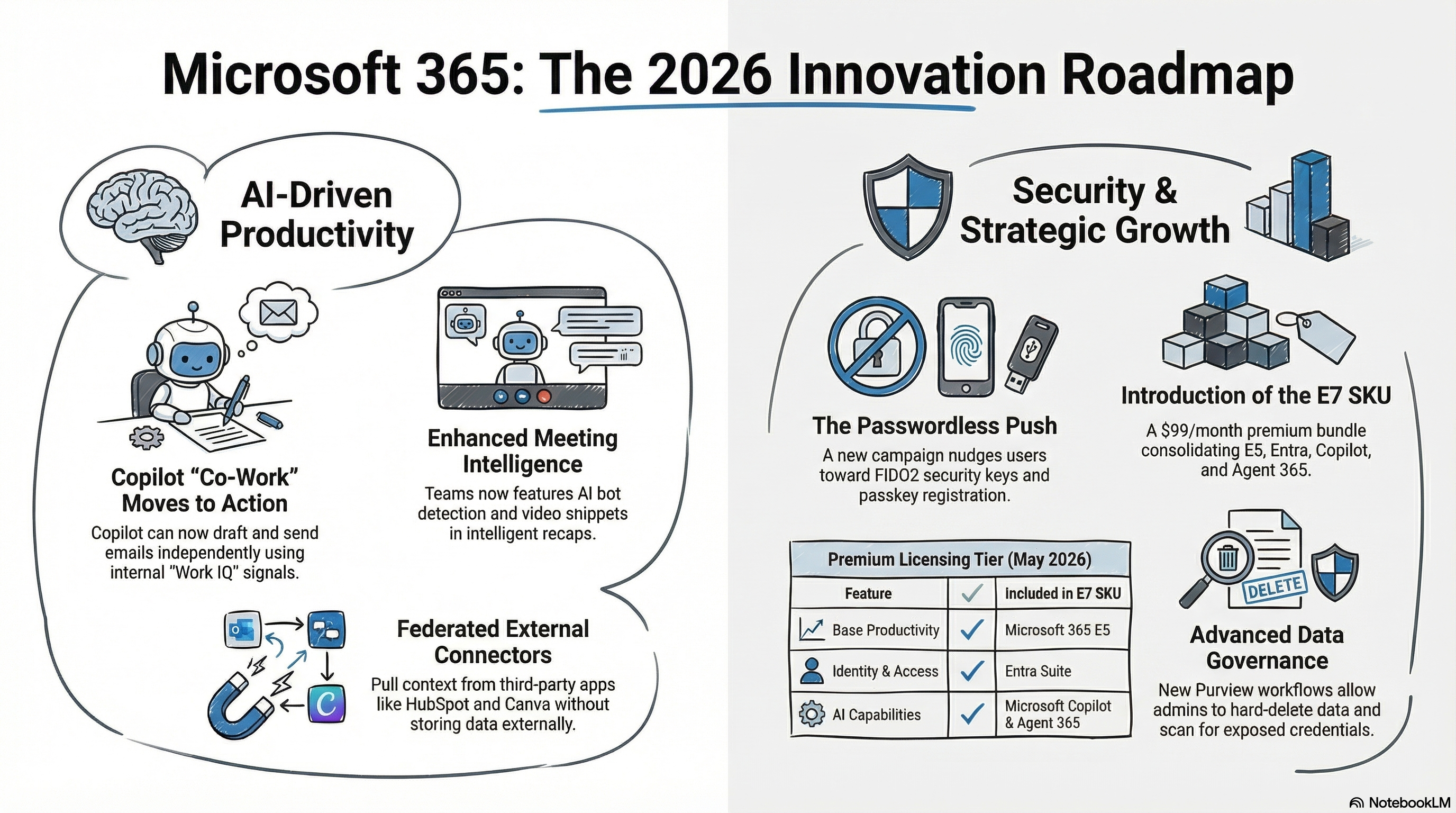
Let it inform licensing decisions. If the protections you genuinely need for your risk profile sit behind a higher licence tier, that is a business case worth costing. The score helps you see exactly which gaps an upgrade would close. Our guide to the 2026 Microsoft 365 updates covers what the current tiers include.
Where Mino IT fits
We review Secure Score as part of the security posture work we do for our managed clients, alongside MFA coverage, patching, and backup checks. When we report on it, we always show the score in context: what your licence tier makes possible, what has already been configured, and which remaining gaps actually matter for your business.
If you have looked at your Secure Score and are not sure what it is telling you, send it through. We are happy to walk you through what the number means for your environment and whether the gaps are worth acting on.
Call us on 1300 700 187, email support@minoit.com.au, or book a discovery call.